
Outreach, step by step
Building a flow, launching it and reading what comes back — sending from your own mailbox and your own LinkedIn account.
Last reviewed September 8, 2026
Outreach sends your messages to the leads you approved — from your own mailbox and your own LinkedIn account. Replies land in your inbox, from your address, in a thread the person can answer normally. Nobody sees a Tamozo sending domain or a shared LinkedIn account, because there isn't one. The relationship is yours; we do the sending, the waiting and the keeping-track.
What it is not: a mass mailer. You are working with 50–500 people who matched a description you wrote, so everything below is built for that scale rather than for 100,000 addresses.
What a step can do
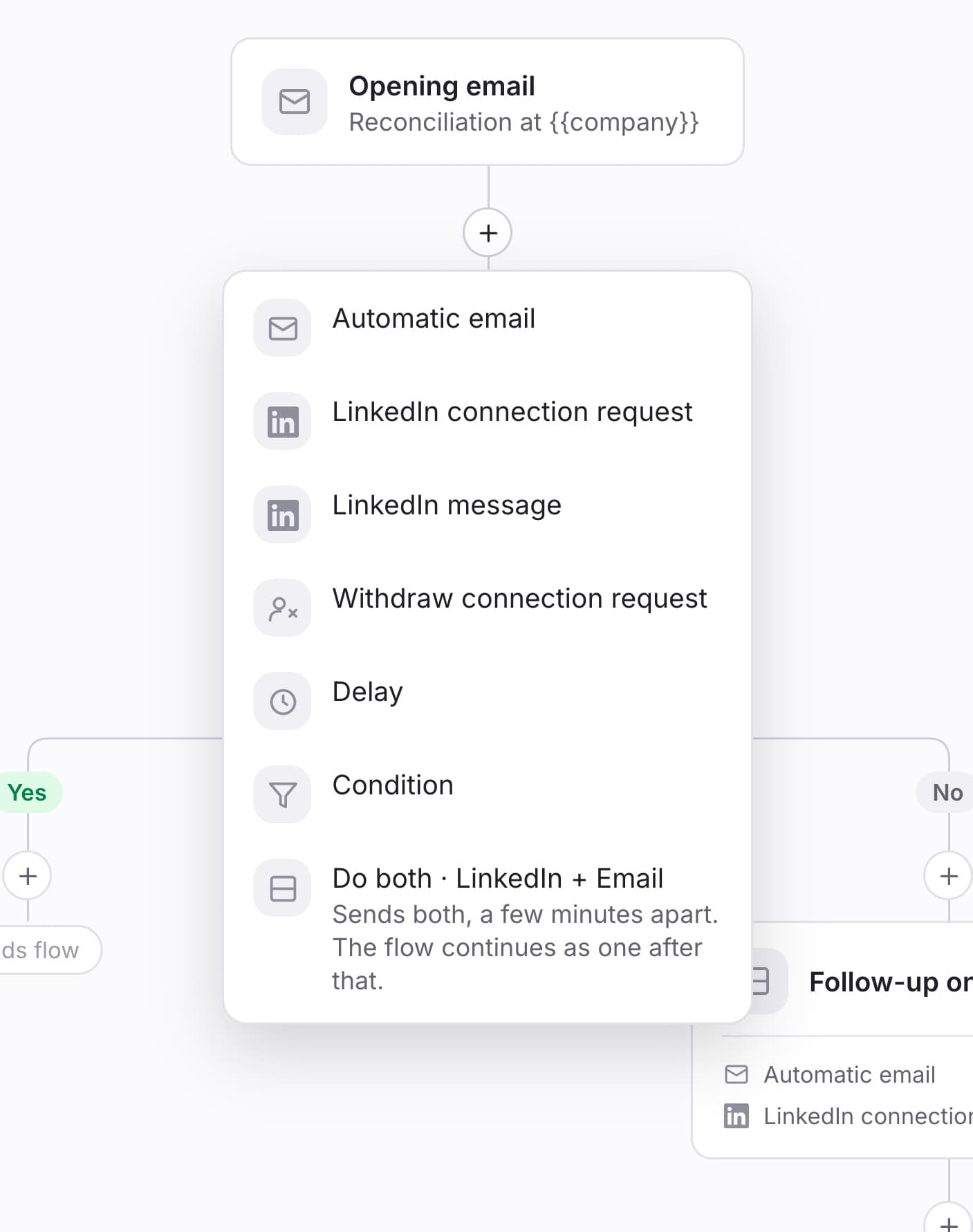
An outreach is a series of steps. Click the + on any line to add one.
| Step | What it does |
|---|---|
| Automatic email | Sends an email from your connected mailbox. |
| LinkedIn connection request | Sends a connection request, with an optional note — capped at 300 characters, which is LinkedIn's limit rather than ours. |
| LinkedIn message | Sends a LinkedIn message. If the person is not connected yet, an invitation goes first and the message waits for the accept. |
| Withdraw connection request | Cancels an unanswered invite you sent earlier. |
| Delay | Waits, then carries on. Anything from 5 minutes to 60 days. |
| Condition | Checks whether something happened, and splits the path into Yes and No. |
| Do both | One email *and* one LinkedIn action at the same point. |
| Continue from | Sends nothing. Leads carry on from another step, so two openings can share one follow-up. |
Write the message
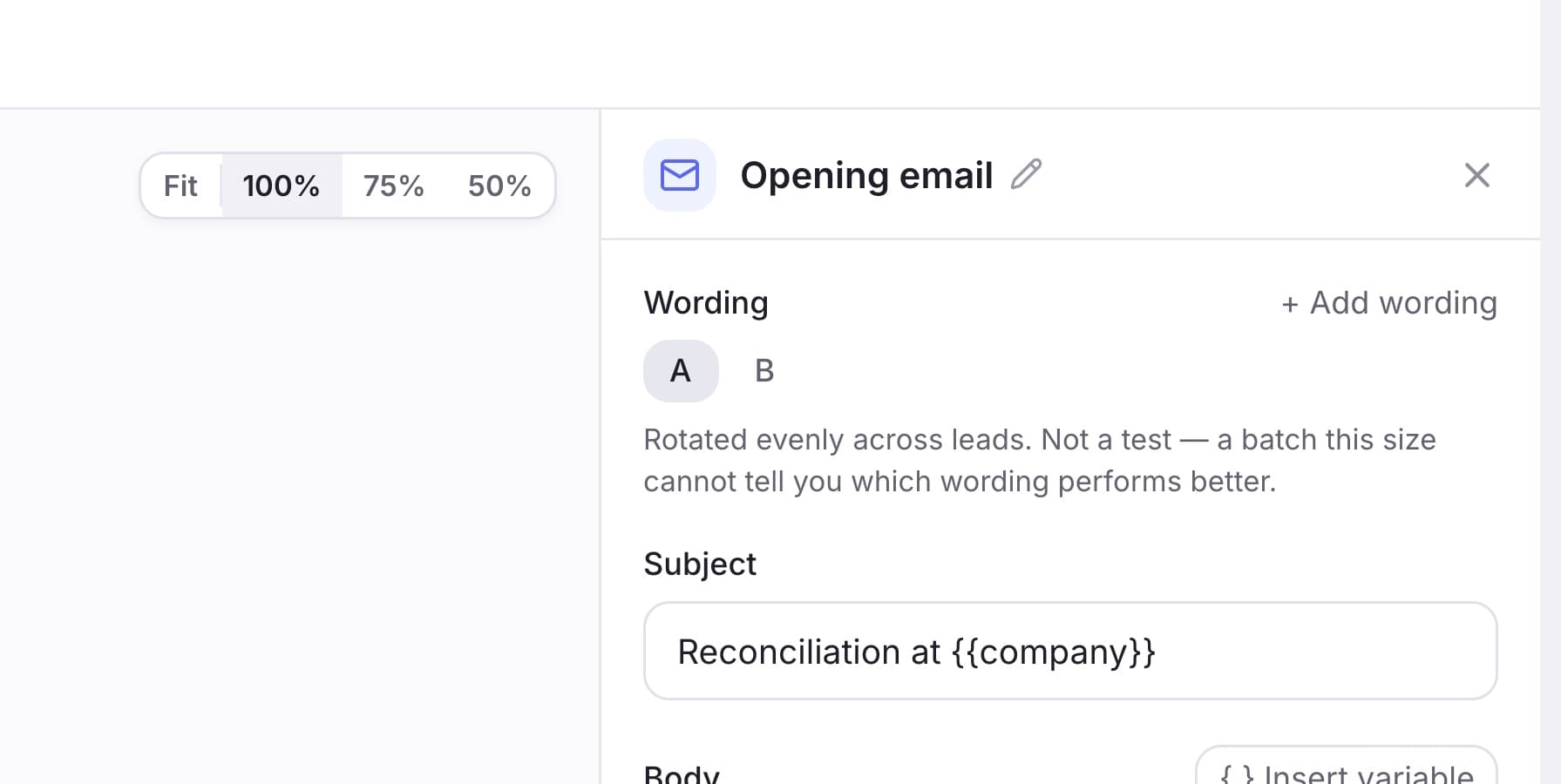
Click a step to open its settings on the right. Variables go in with { } Insert variable — {{first_name}}, {{company}} — and the preview underneath renders them against a real lead from this audience rather than a made-up one.
A step can carry up to four wordings. They are spread evenly across leads, and we never declare a winner: at 50–500 leads the difference between two versions is not distinguishable from chance. The reason to use them is that 300 identical emails leaving one mailbox is itself a spam signal.
Add a condition, and know what it measures
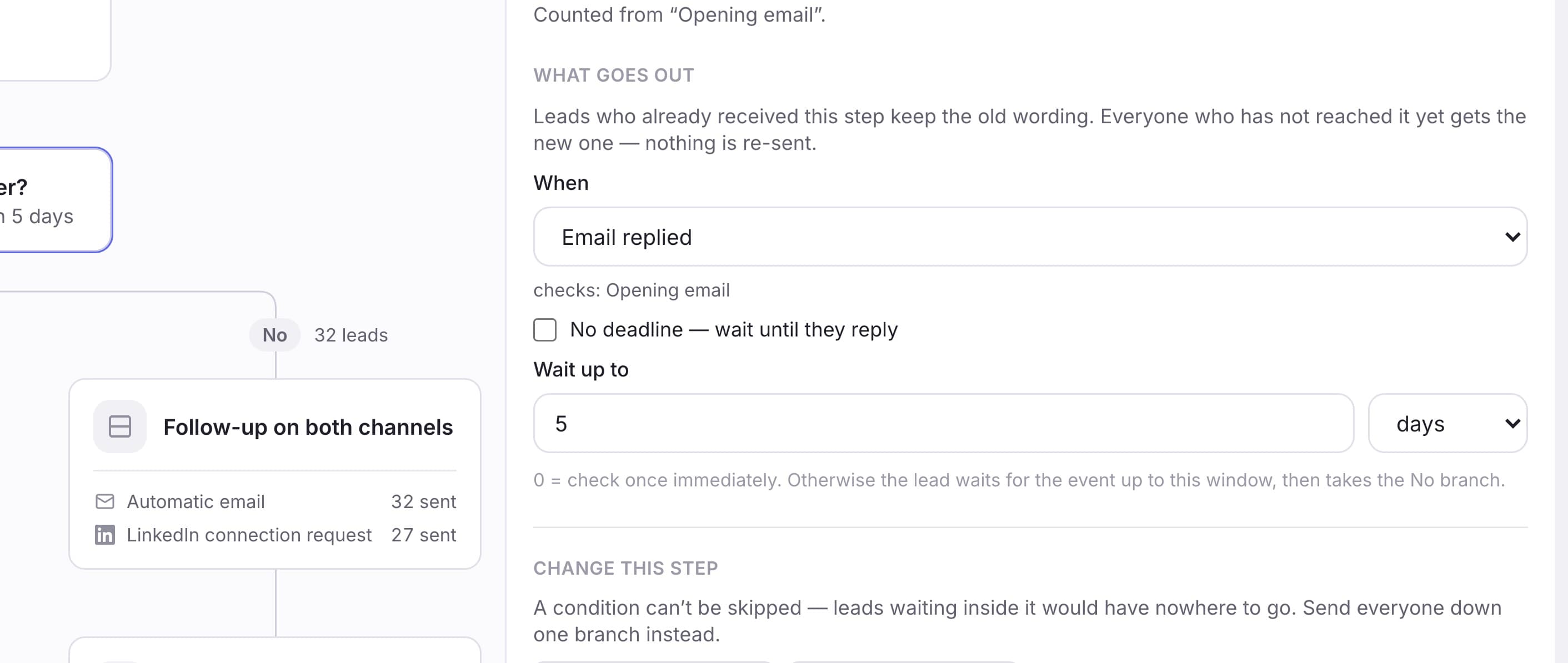
A condition asks one question — Email replied, Invite accepted, LinkedIn replied — and sends the lead down Yes or No. You choose how long to wait for it, up to 30 days. If it happens inside that window the lead takes Yes immediately; if the window runs out, they take No.
Two things about this surprise people, and both are deliberate.
A condition measures from one specific step. Email replied watches the email above it in the flow, not "any email we ever sent". So if your flow has two emails and you want to know about the second one, the condition has to sit below the second one. The panel names the step it is watching, so you can always check.
Only a real reply counts. An out-of-office is not a reply and will not take the Yes path. Neither will a ticket auto-responder. Those arrive from the person's own address and look identical to a reply — and treating them as one means the flow congratulates itself and stops chasing someone who never read the message.
Choose who gets contacted
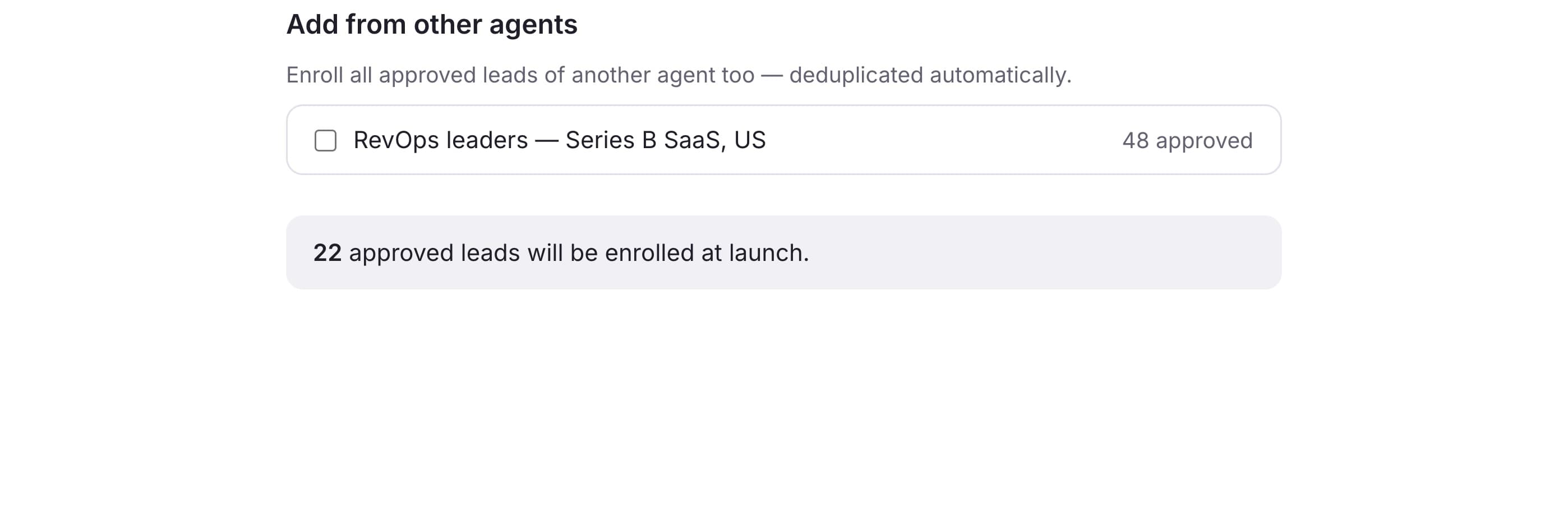
The audience is the leads you approved in an agent, plus any you added individually. Nobody is contacted twice by the same outreach: if a lead is in two of your approved sets, they still get one run through the flow.
Set the sending window
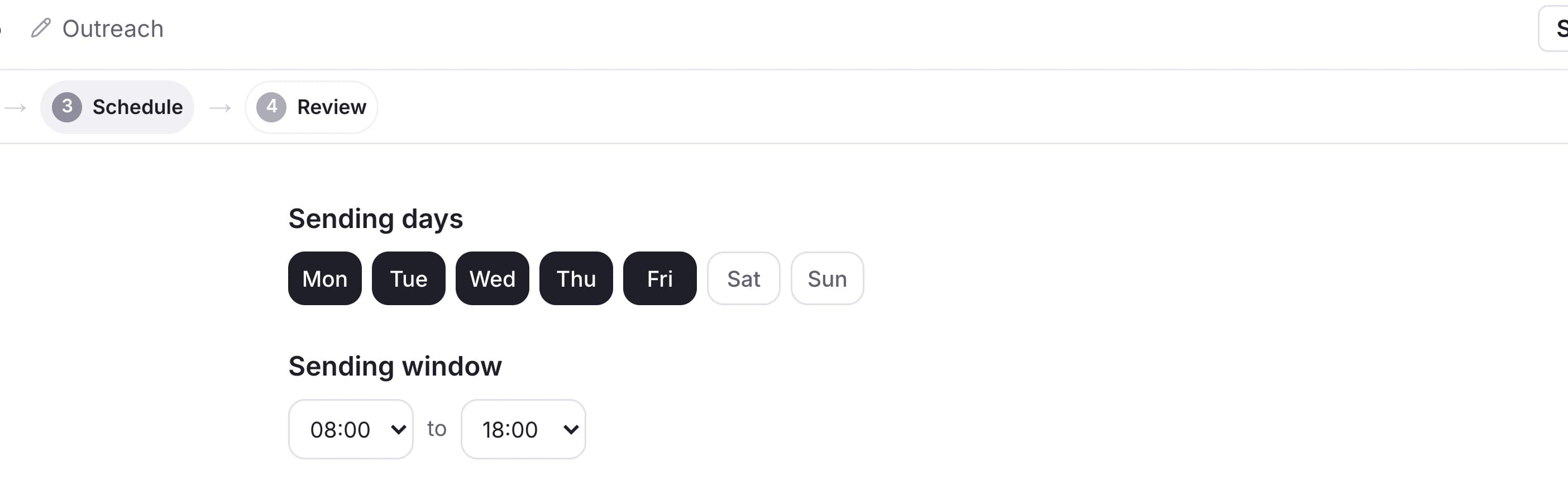
By default Monday to Friday, 08:00–18:00 in your timezone. Anything that comes due outside it waits for the next window rather than sending at 03:00. You can change days and hours here, and you can change them again on a live outreach.
Sends are also staggered across leads. Launching to 200 people does not send 200 emails in one burst — they are spread across the window. This is the single biggest thing protecting your domain reputation, and it is why a launch does not look instant.
Review, then launch
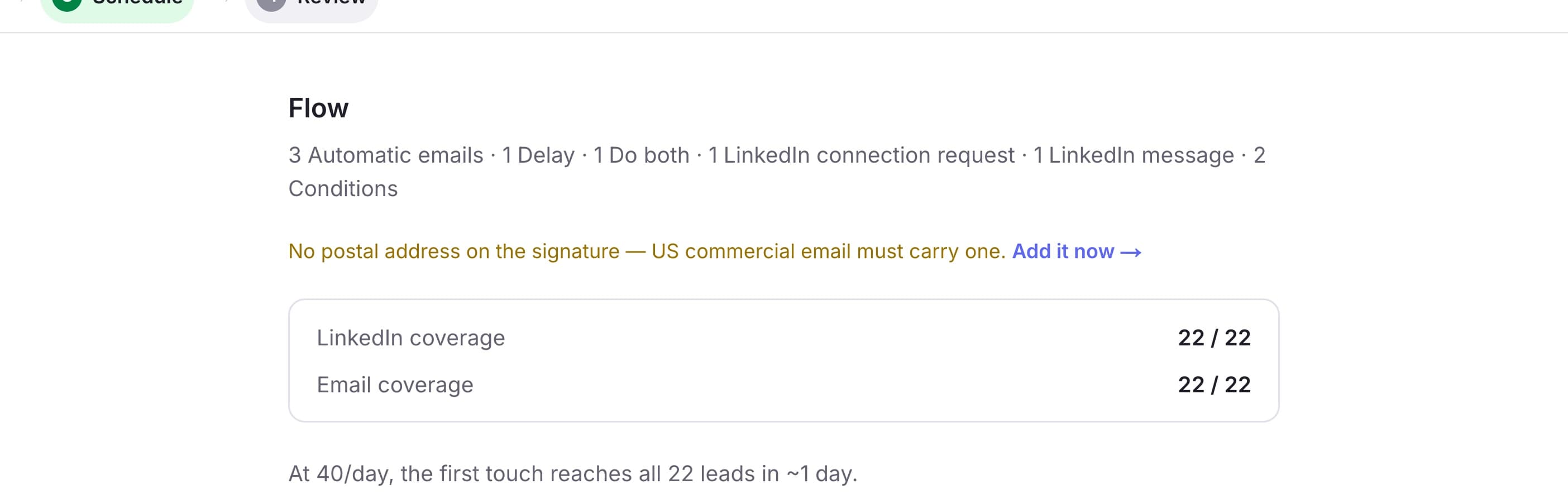
Review checks the flow and tells you what is missing: an email with no subject, a condition with no event chosen, a LinkedIn step with no account connected, a "Do both" that is not one email plus one LinkedIn action.
Warnings are not errors. A warning is worth a second look and will not stop the launch; an error will. Review also shows your coverage — how many leads have an email address, and how many have a LinkedIn profile.
Doing two things at once
Do both puts one email and one LinkedIn action at the same point in the flow. Use it when a single touch should arrive on two channels, rather than as two steps days apart.
They go out a few minutes apart — in practice 2–11 minutes. Two messages landing in the same instant is the most recognisably automated thing you can do, and a few minutes of gap costs nothing.
The flow rejoins afterwards. Both touches happen, then the flow carries on as one path. It is one step with two actions, not two branches that live separately. And if the LinkedIn half is a connection request, it is sent after the email — the flow then waits for the invite to be accepted, and anything sequenced after that wait would never send.
Watching it run
The flow stays on screen after launch, with each step carrying its own counts and each branch the number of leads that took it.
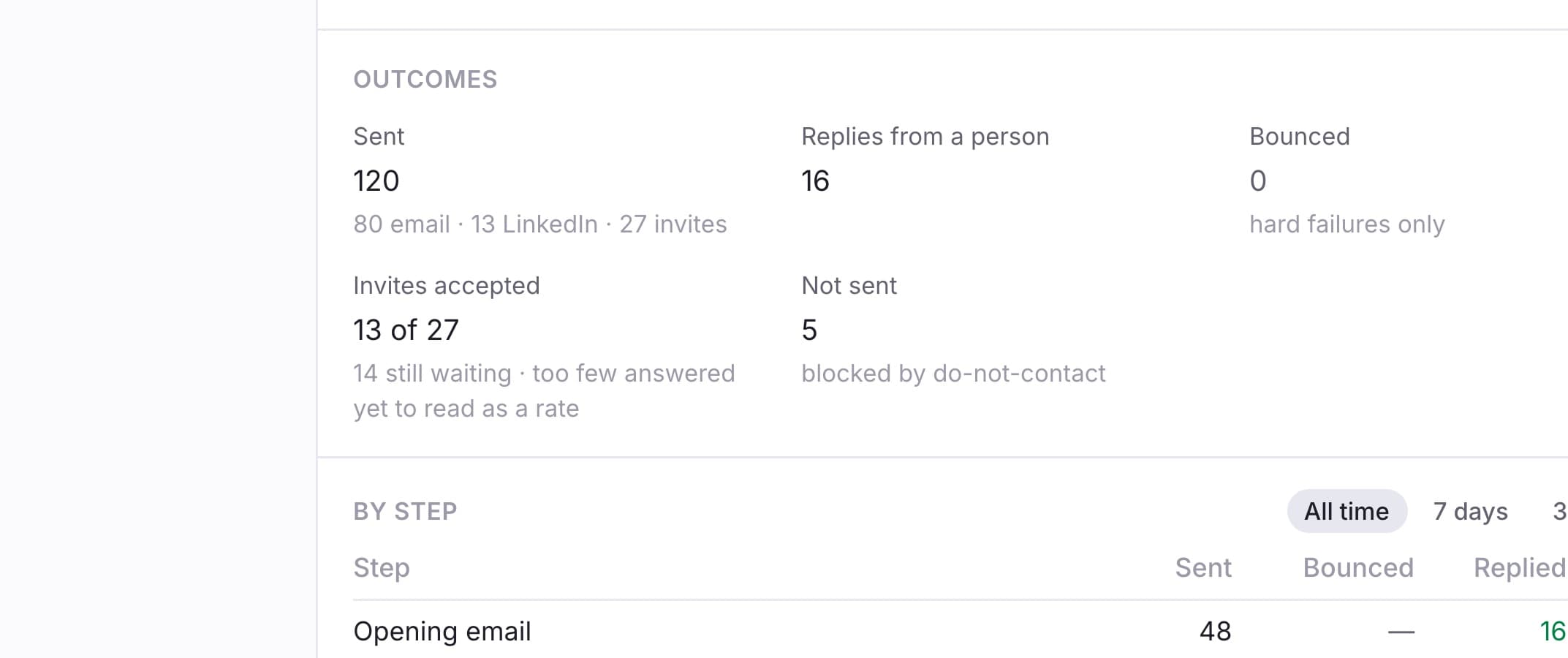
Clicking a step shows you who is standing on it, by name.
What we do not report, and why
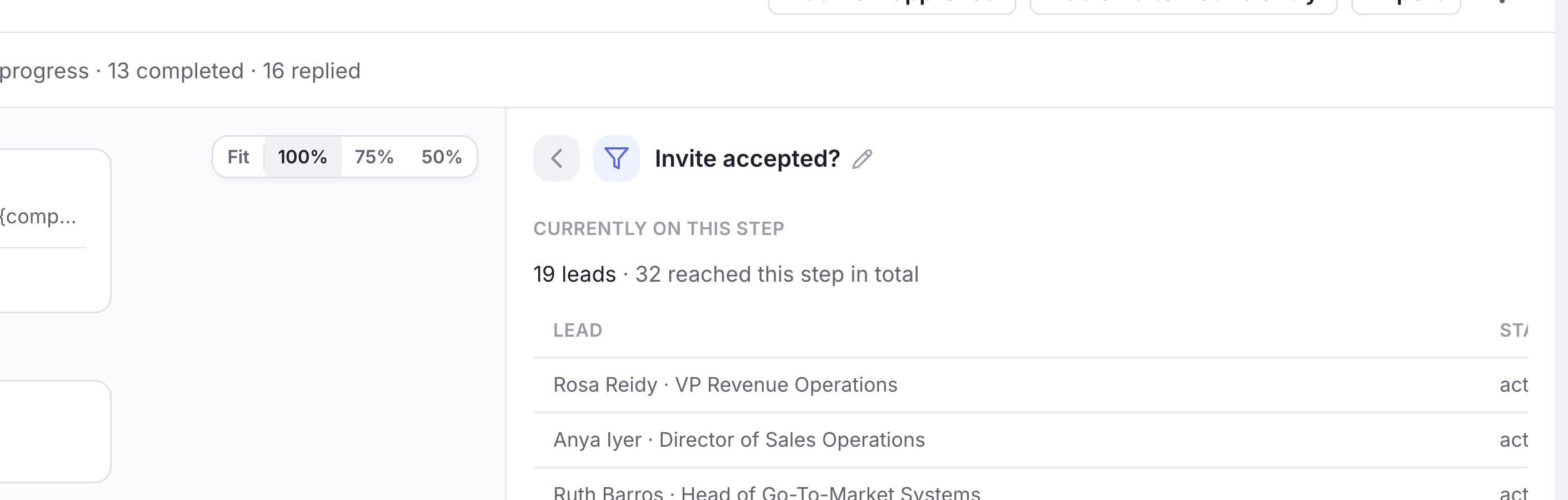
There is no open tracking. Open rates are measured with an invisible image, and mail providers now fetch that image themselves the moment a message is delivered, whether or not a human ever looks at it. An "open" is usually a machine, and we would rather show you nothing than a number that is wrong in a flattering direction.
Bounced and delivered are not opposites. A bounce is proof of failure; the absence of a bounce is not proof of success. "3 of 10 delivered" would read as "7 failed" when it more likely means seven mail clients did not load an image.
Changing it while it runs
Some things you can change freely; some you cannot. The line is drawn where changing something would strand the people already partway through. A step is edited the same way wherever you meet it — click any step on a running outreach and you get the same editor as when you built it.
Freely changeable while it runs:
- The wording of any step — subject, body, every variant, the signature
- A condition's question and how long it waits for an answer
- How long a delay waits
- The sending window, and which mailbox or LinkedIn account sends
- Whether a reply stops the flow, and a step's name
When you rewrite a step, leads who already received it keep what they got. Everyone who has not reached it yet gets the new version. Nothing is re-sent. Changing a delay works the same way: people already waiting keep the time they were given, because that time was worked out when they arrived.
Instead of deleting, skip
You cannot delete, reorder or move steps. Those change the shape under leads who are standing in it, and there is no honest answer for a lead on a step that just moved. Open the step and choose Skip step instead: leads who have not reached it route straight past it, leads who already received it keep it, its numbers stay in your reports, and the step stays on the canvas so the flow still reads as what it was. Use this step again puts it back.
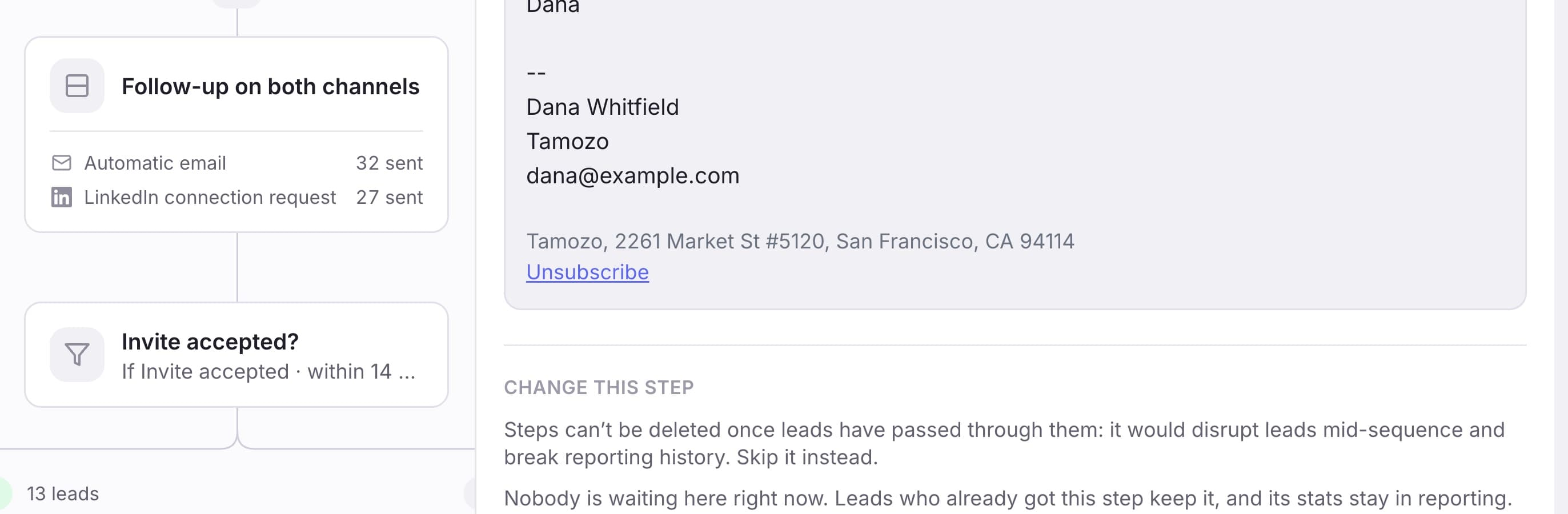
A condition cannot be skipped — it gets pinned. A skipped condition would leave the people waiting inside it with nowhere to go, so instead you choose a branch: Send all down Yes or Send all down No. The condition stops being evaluated and everyone takes the branch you picked. Click it again to start checking properly.
You can add a step where nothing follows yet — at the end of a chain, or on a condition's empty branch. Not in the middle: inserting there would move leads who are already partway through, and that is how other tools end up sending a follow-up to someone before the message it follows.
Pausing works differently and always works: it stops all sending, keeps every lead exactly where they are, and resumes where it left off. Anything that came due while paused is spread out rather than sent at once.
When nothing is sending
In the order these actually happen:
- Your plan. Outreach runs on Growth and above. On a lower plan a live outreach simply does not send, with no error anywhere.
- It is outside the sending window. By default nothing sends at night or at weekends.
- A daily limit is reached. The rest of the queue is waiting for tomorrow.
- A mailbox or LinkedIn account is disconnected. The outreach shows Needs attention with a reconnect link.
- It is paused.
- Leads are waiting on a connection request. A LinkedIn step below an invitation cannot run until the person accepts. We wait up to 21 days, then the lead ends as not connected.
- A condition with no deadline is still waiting. With no window set, the lead waits for the event indefinitely and the No path never fires.
- Everyone has finished. Check the progress figure — a flow with no one left to move is done, not stuck.